
Centralized admin
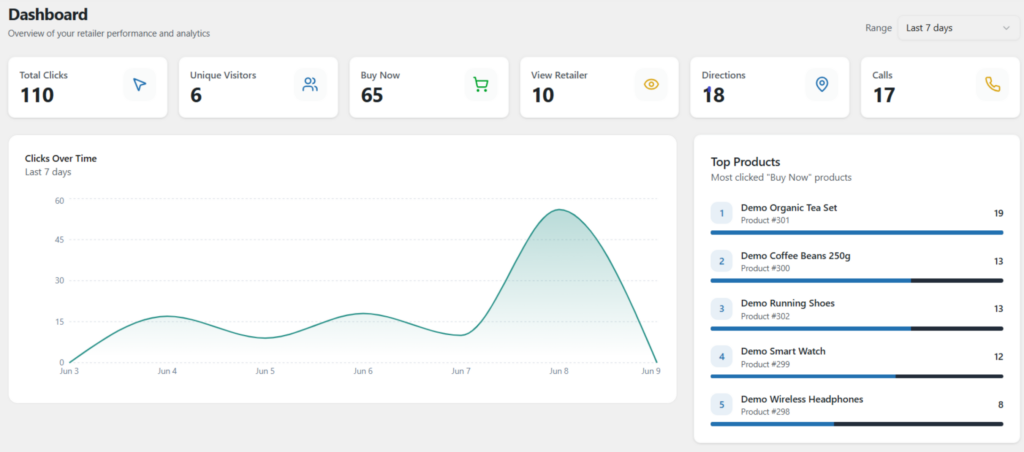
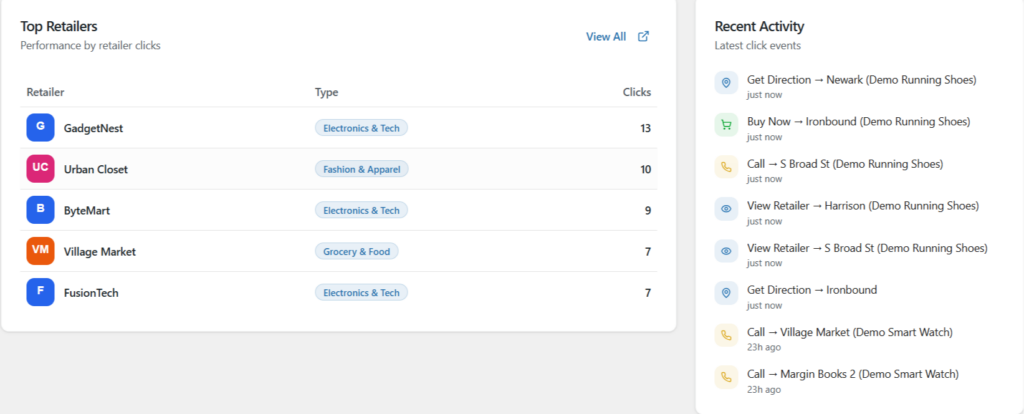
Manage stores, categories, opening hours and per-store price/stock — plus a click-analytics dashboard.
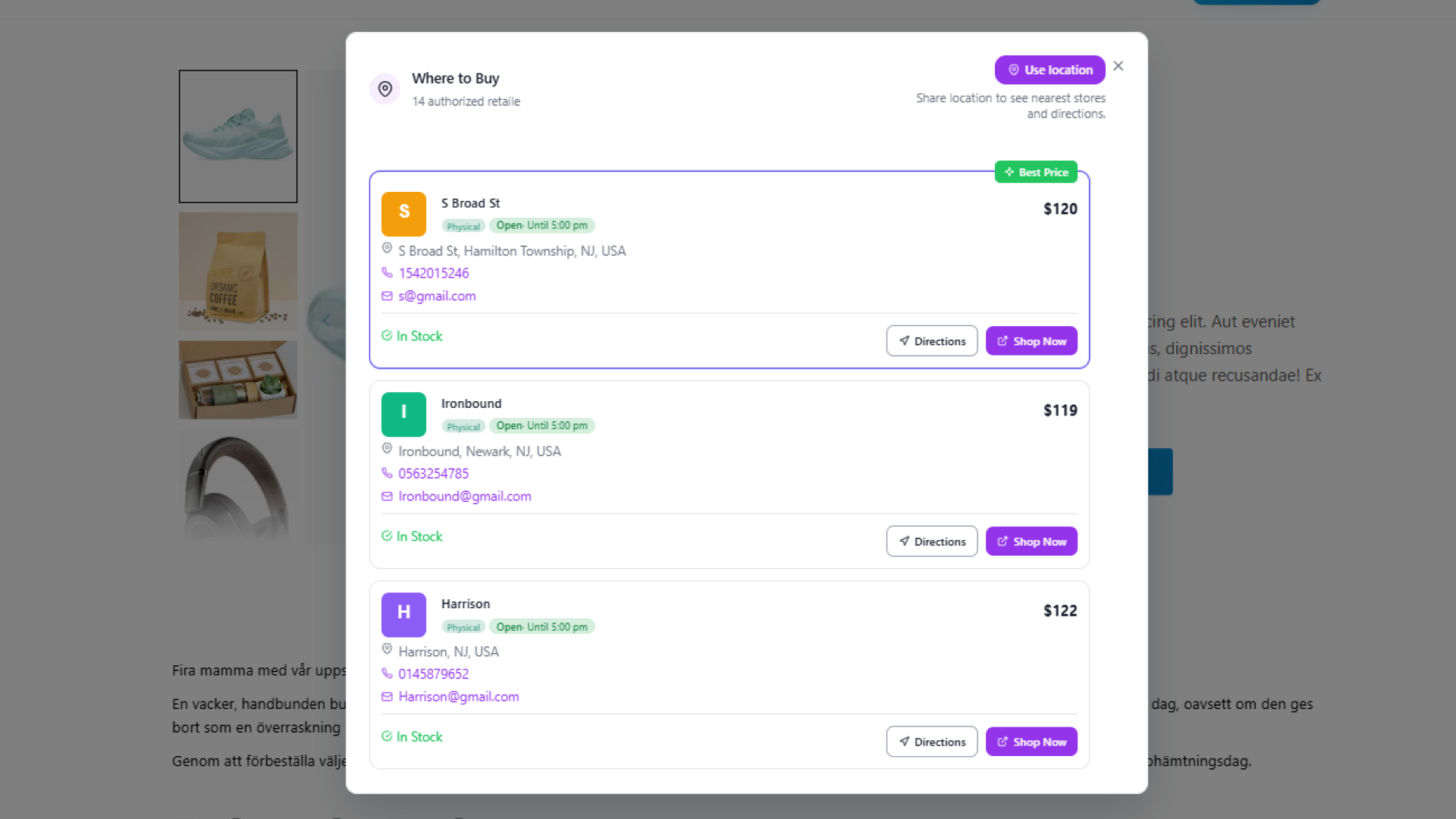
Manage stores and dealers, set per-location price & stock, show a “Where to buy” block on product pages and a Store Locator map so customers find the nearest store.
Everything to run sales across a store network: admin control, customer-facing display, and flexible integration.
Manage stores, categories, opening hours and per-store price/stock — plus a click-analytics dashboard.
A “Where to buy” block on product pages + a Store Locator map help customers find where to buy, nearest first.
Embed via shortcode / Gutenberg / Elementor, with REST API, JS API, PHP hooks, WP-CLI and i18n.
The features that power selling through a store network — for admins and customers alike.
Customers search by address or geolocation, pick a radius, filter by store type and sort by nearest — with directions, calls, opening hours and km/miles.
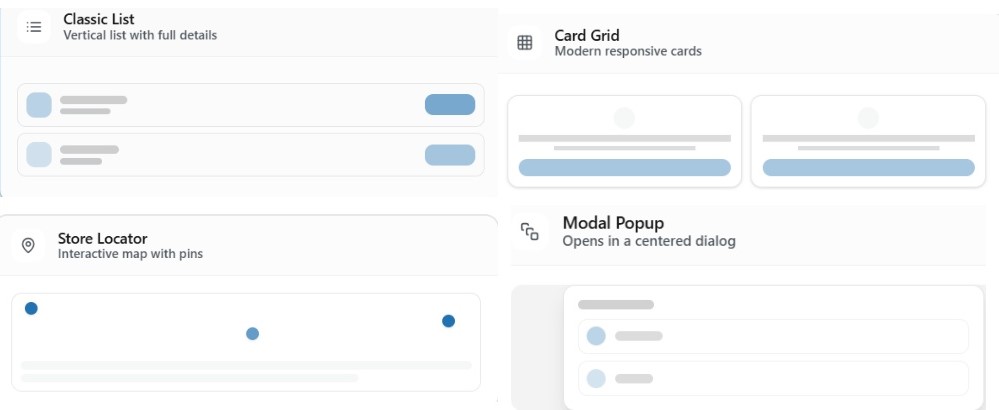
Automatically lists stores selling the product being viewed — with price, stock, distance, Buy Now & Directions. 4 styles: List · Grid · Modal · Map-Card.
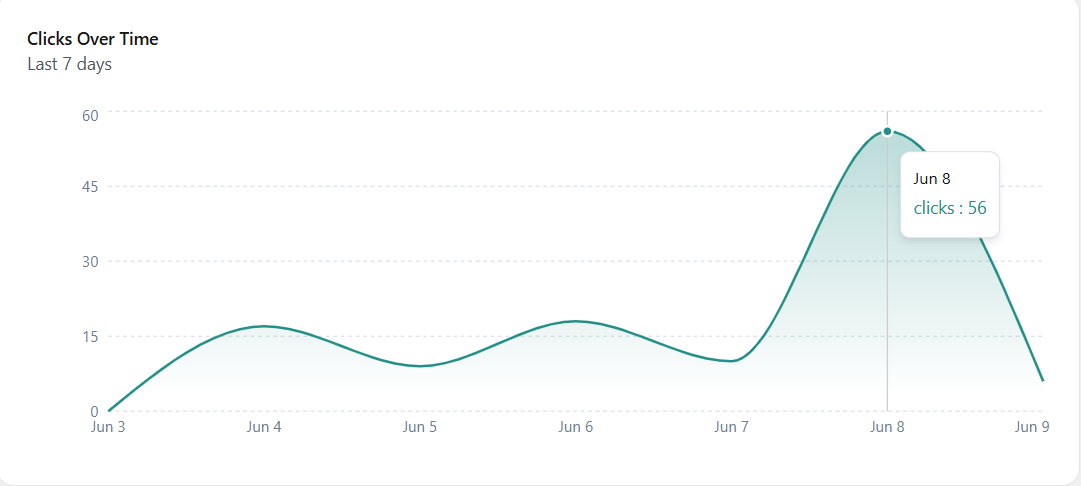
Records Buy Now / Directions / Calls / View Retailer clicks, with 7/30/90-day charts — privacy-friendly, no personal data, auto-deletes old data.
In the product editor’s “Retailers” tab: assign a product to multiple stores, each with its own regular price, sale price, stock status, “Best price” flag and product link.
Small features that make a big difference when running a store network.
Weekly schedule + holidays, with an “Open / Closed / Opening soon” chip.
Types with colour labels & icons (Showroom, Dealer, Service center); customers filter by type.
Bulk-upload stores with auto-geocoding; export to back up or migrate.
No personal data stored, respects privacy signals, auto-deletes old data.
Auto-embeds location data so Google understands it and ranks in local search.
REST API, JS API, PHP hooks and the wp rmfw command for developers.
Any WooCommerce shop selling through multiple outlets — stores, dealers, showrooms or service centers.
Show every outlet with per-branch price & stock.
Manage authorized dealers, give each its own price & link.
Customers find the nearest showroom, see hours and get directions.
Locate service points by type, filter fast, call & get directions.
A “Where to buy” page for customers to find genuine product outlets.
Branch map with opening hours and Open/Closed status.
Same store data, rendered in many styles — each design's accent colour comes straight from its store locator configuration.